
Why Regular Laptop Cleaning Matters for Long-Term Hardware Health
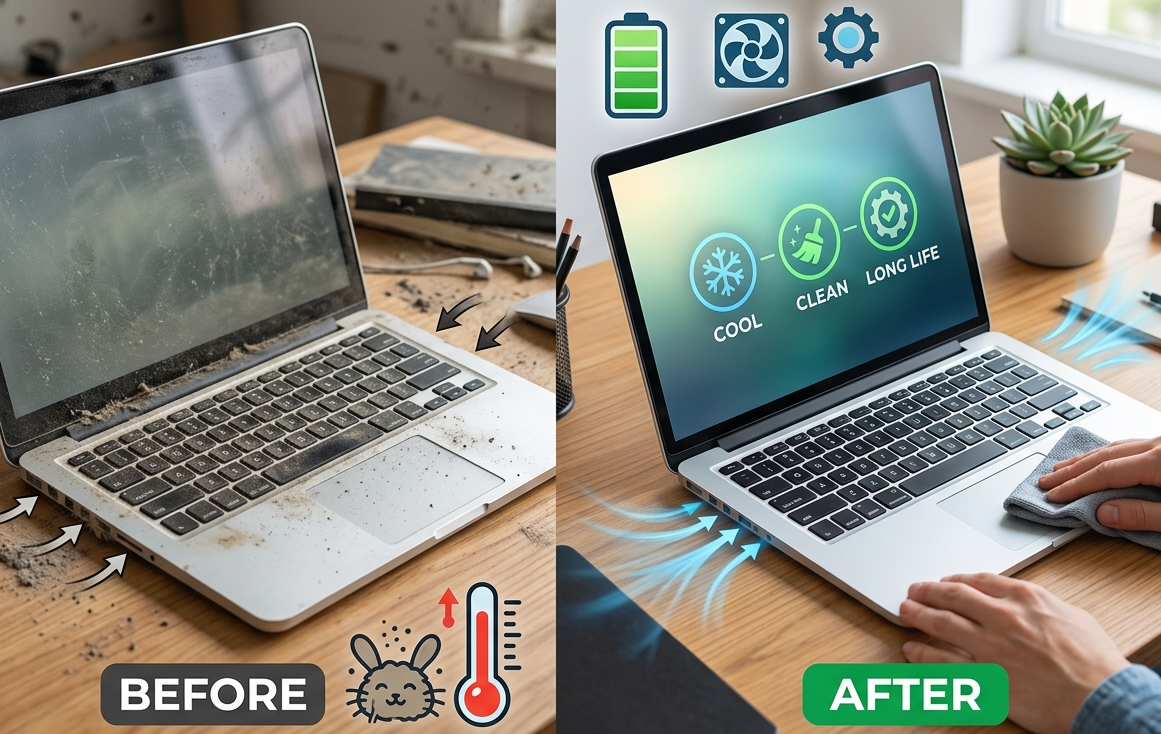
A laptop may look clean on the outside while dust, dirt, and debris gradually accumulate inside. Over time, this buildup can restrict airflow, increase operating temperatures, affect cooling performance, and place additional stress on internal components. Regular cleaning is therefore not simply about keeping a laptop looking presentable it can play an important role in maintaining hardware health and reducing preventable performance problems.
For users who depend on their computers for work, school, business, or everyday activities, routine maintenance can help extend the useful life of the device. iPC Repair Houston understands the importance of keeping laptops properly maintained and identifying hardware problems before they become expensive. When cleaning is performed alongside professional maintenance, issues affecting cooling, power, storage, and other components can be addressed more effectively. If physical damage has also affected the display, screen repair Houston TX may be necessary as part of restoring the device.
How Dust Enters a Laptop
Laptops constantly pull air through their ventilation system to regulate internal temperatures. Along with that air, they can also draw in dust, hair, fabric fibers, and other small particles.
Dust commonly accumulates around:
- Cooling fans
- Heat sinks
- Air vents
- Keyboard openings
- Internal connectors
- Exhaust channels
The amount of buildup depends on the environment and how frequently the laptop is used. Devices used on carpets, beds, couches, workshops, or dusty areas may accumulate debris faster than those operated in cleaner environments.
Dust Can Restrict Airflow
One of the biggest reasons regular laptop cleaning matters is airflow. Internal components generate heat while the laptop is operating, and the cooling system needs to move that heat away efficiently.
When dust covers fan blades or blocks ventilation channels, airflow becomes less effective. The cooling system may have to work harder while the internal temperature continues to rise.
This can create a cycle:
Dust buildup → Restricted airflow → Higher temperatures → Reduced performance → Increased hardware stress
Keeping vents and internal cooling components clean can help the system maintain more consistent temperatures.
Overheating Can Reduce Performance
Modern laptops are designed to protect themselves when temperatures become excessive. One method is thermal throttling, where the system reduces processor performance to generate less heat.
You may notice:
- Slower applications
- Performance drops during demanding tasks
- Longer loading times
- Frequent fan noise
- System instability
Regular cleaning can help reduce one of the common causes of excessive heat. However, if a laptop continues overheating after cleaning, the cooling fan, thermal material, heat sink, or another internal component may require professional inspection.
Cooling Fans Need Proper Maintenance
Cooling fans are essential for removing heat from a laptop. Unfortunately, their moving parts can attract and collect dust.
A heavily contaminated fan may become:
- Noisy
- Less efficient
- Slower
- Intermittent
- Unable to maintain proper airflow
If you hear unusual fan sounds or notice that the fan runs constantly, cleaning may be necessary. However, unusual noises can also indicate mechanical fan failure, so persistent symptoms should not be ignored.
Dust Can Affect Internal Components
Excessive dust does not necessarily damage every component directly, but it can create conditions that increase hardware stress.
Higher temperatures can affect components such as:
- Processors
- Graphics hardware
- Memory
- Storage devices
- Power circuitry
- Motherboard components
A laptop that consistently operates at elevated temperatures may experience more wear over time. Regular maintenance helps create a cleaner environment for these components.
Keyboard and Port Cleaning Also Matters
Internal cleaning receives much of the attention, but external areas deserve regular care too. Keyboards and ports can collect dirt, food particles, hair, and other debris.
Dirty keyboards may develop sticky or inconsistent keys, while debris inside ports can interfere with connections.
Useful areas to maintain include:
- Keyboard surfaces
- USB ports
- Charging ports
- Air vents
- Trackpads
- Exterior panels
Cleaning should be performed carefully to avoid forcing debris deeper into the device.
Screen Cleaning Requires Extra Care
The laptop display should also be cleaned properly. Using unsuitable chemicals or excessive pressure can damage screen coatings or other display surfaces.
Use appropriate screen-cleaning materials and avoid spraying liquid directly onto the display.
If a laptop already has cracks, flickering, lines, dark areas, or other physical display problems, cleaning will not resolve the underlying issue. Professional laptop screen repair Houston services may be necessary to replace a damaged panel or diagnose a related display connection.
For users searching for screen repair Houston TX, professional evaluation can help distinguish between a dirty display, damaged screen panel, loose cable, and more serious internal hardware problem.
Cleaning Can Help Prevent Unexpected Shutdowns
Overheating caused by restricted airflow can contribute to sudden shutdowns. A laptop may automatically turn itself off when temperatures become dangerously high.
While cleaning can help prevent heat-related shutdowns, repeated shutdowns should not automatically be blamed on dust. Battery problems, faulty power components, motherboard issues, and software problems can produce similar symptoms.
A professional diagnostic check can identify the actual source.
How Often Should a Laptop Be Cleaned?
There is no single cleaning schedule that works for every laptop. The ideal frequency depends on the environment and usage.
A laptop used in a clean office may require less frequent internal cleaning than one used in a dusty environment. Heavy users should also pay closer attention to fan noise, temperature, and ventilation.
As a general maintenance habit, inspect external vents regularly and consider professional internal cleaning when dust buildup becomes noticeable or temperatures begin increasing.
Safe Laptop Cleaning Practices
Careful cleaning is important because improper handling can damage delicate components.
Consider these practices:
- Shut down the laptop before cleaning.
- Disconnect the charger and accessories.
- Keep liquids away from internal components.
- Avoid excessive pressure on the screen.
- Use appropriate cleaning materials.
- Keep ventilation openings unobstructed.
- Have internal cleaning performed professionally when necessary.
Avoid opening a laptop unless you understand its internal construction and have the appropriate tools and experience.
Cleaning Is Part of Preventive Maintenance
Regular cleaning should be viewed as one part of a larger laptop maintenance strategy. It works best when combined with good usage habits and timely attention to unusual symptoms.
Other useful practices include:
- Keeping software updated
- Maintaining adequate storage space
- Monitoring battery health
- Using the laptop on suitable surfaces
- Keeping important files backed up
- Addressing unusual heat or noise early
These habits can reduce unnecessary stress on the device.
When Professional Cleaning Is Better
Professional maintenance can be particularly useful when a laptop has significant internal dust buildup, persistent overheating, loud fans, or recurring shutdowns.
At iPC Repair Houston, technicians can inspect the cooling system and other internal hardware to determine whether cleaning is sufficient or whether additional repair is needed.
Professional inspection is especially valuable when cleaning symptoms are accompanied by physical damage, charging problems, storage errors, or performance issues.
Conclusion
Regular laptop cleaning can contribute significantly to long-term hardware health. Dust buildup can restrict airflow, increase temperatures, force cooling fans to work harder, and contribute to performance problems. Keeping the laptop clean and maintaining proper ventilation can help reduce unnecessary hardware stress and improve reliability.
If your device is already experiencing overheating, unusual fan behavior, physical damage, or display problems, professional service may be the better option. Whether you need routine hardware maintenance, laptop screen repair Houston, or screen repair Houston TX after accidental damage, iPC Repair Houston can help identify the underlying problem and recommend an appropriate solution. Regular cleaning combined with preventive maintenance can help your laptop remain dependable and functional for years.

 English
 Arabic
 French
 Spanish
 Portuguese
 Deutsch
 Turkish
 Dutch
Dutch
 Italiano
 Russian
 Romaian
 Portuguese (Brazil)