
Common Signs Your Computer Power Supply Is Starting to Fail
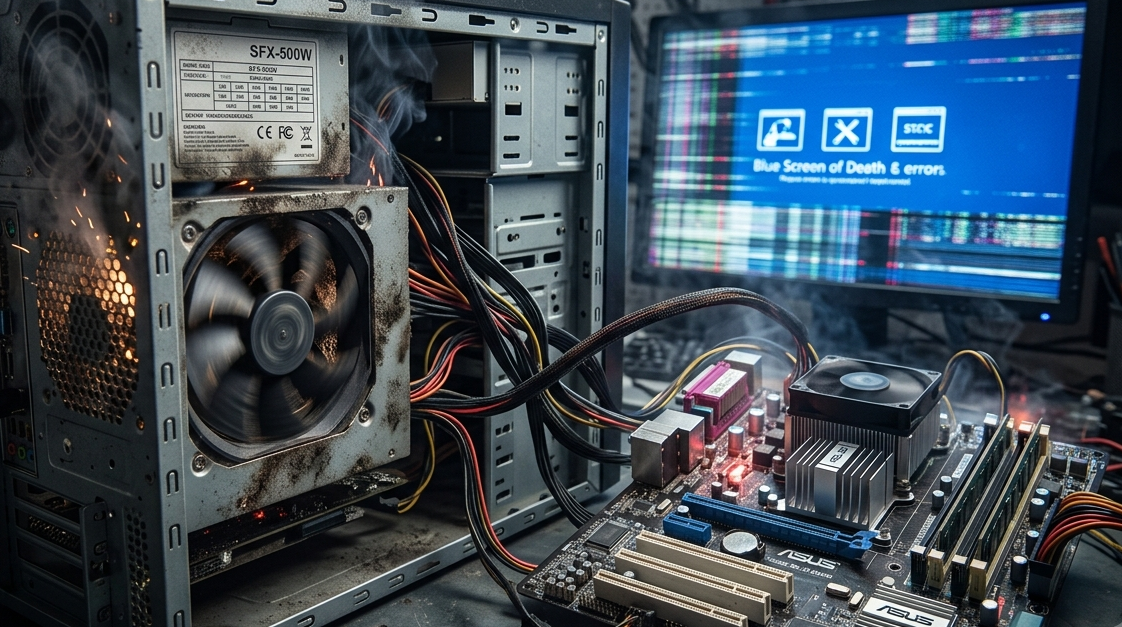
The power supply unit, commonly called the PSU, is one of the most important components inside a desktop computer. It converts electricity from the wall outlet into the appropriate power needed by the motherboard, processor, graphics card, storage drives, fans, and other components. When the power supply begins to fail, the symptoms can sometimes look like unrelated computer problems.
Random shutdowns, unexpected restarts, freezing, strange noises, and difficulty turning on the computer can all indicate a potential power issue. Ignoring these warning signs can increase the risk of hardware damage or data loss. Understanding the symptoms early can help you determine when professional assistance is necessary. If you need computer repair Albany, laptop repair Albany, or computer repair Albany NY services, professional diagnostics can help determine whether the PSU is actually responsible.
What Does a Computer Power Supply Do?
A power supply regulates and distributes electrical power to the computer's internal components. Different components require different amounts of power, and the PSU must provide stable electrical output while the computer is operating.
A properly functioning power supply helps ensure that the system receives consistent power. If the PSU becomes weak, damaged, or unstable, other components may not receive the power they need.
Power supply problems can occur because of:
- Age
- Electrical surges
- Overheating
- Dust accumulation
- Poor-quality components
- Excessive workload
- Internal component failure
Because the PSU affects the entire system, its failure can produce a wide variety of symptoms.
1. Your Computer Randomly Shuts Down
Unexpected shutdowns are one of the most important warning signs.
If your computer suddenly turns off without displaying a normal shutdown message, the power supply could be struggling to maintain stable power.
However, sudden shutdowns can also result from overheating, operating system problems, or other hardware failures. This is why proper diagnostics are important.
If shutdowns occur repeatedly, save important files and investigate the issue rather than continuing to use the computer normally.
2. The Computer Restarts Without Warning
A failing power supply can also cause unexpected restarts.
You may notice the computer suddenly reboots while:
- Playing games
- Editing videos
- Running demanding applications
- Starting the operating system
- Connecting additional hardware
High-performance tasks can increase power consumption. If the PSU cannot provide sufficient stable power, the computer may restart or shut down.
Repeated restarts should not be ignored because they can also indicate motherboard, RAM, CPU, or overheating problems.
3. Your Computer Has Difficulty Turning On
Another potential sign is difficulty powering on.
You might press the power button and experience:
- Nothing happening
- Fans briefly spinning and stopping
- Repeated startup attempts
- Delayed startup
- Powering on only occasionally
These symptoms can indicate PSU problems, but they may also be caused by the motherboard, power button, electrical outlet, or other components.
A technician can test the power system to identify the actual source.
4. Unusual Noises Come From the PSU
Power supplies contain cooling fans and electronic components that can produce some noise. A sudden change in sound may indicate a problem.
Pay attention to:
- Grinding
- Clicking
- Rattling
- Excessive fan noise
- Buzzing
- Repeated changes in fan speed
A noisy fan may indicate a worn bearing or excessive dust. Other unusual electrical sounds can be more concerning.
Do not open the power supply yourself. PSUs can contain components that retain dangerous electrical charges even after the computer has been unplugged. Internal PSU inspection and repair should be left to qualified professionals.
5. You Notice a Burning Smell
A burning or unusual electrical smell coming from a computer should never be ignored.
It could indicate overheating, damaged wiring, or a failing electronic component.
If you smell burning:
- Shut the computer down.
- Disconnect it from power if it is safe to do so.
- Stop using the system.
- Have it professionally inspected.
Continuing to operate a computer with a potentially failing PSU can put other components at risk.
6. The Computer Crashes During Demanding Tasks
A computer that works normally during basic activities but crashes during demanding workloads may have a power-related problem.
For example, the system might remain stable while browsing the internet but shut down when running a demanding game or professional application.
This can happen because the processor and graphics card consume more power under heavy workloads.
However, overheating and graphics-card problems can create similar symptoms, so a professional diagnosis is recommended before replacing the PSU.
7. New Hardware Causes Stability Problems
Installing a powerful graphics card, additional drives, or other components increases the system's power requirements.
If the existing PSU doesn't have sufficient capacity or is aging, you may begin experiencing:
- Crashes
- Shutdowns
- Restarts
- Failure to boot
- System instability
Before upgrading major hardware, calculate the computer's power requirements and confirm that the PSU is suitable.
A professional computer repair Albany technician can evaluate the existing power supply and determine whether an upgrade is appropriate.
8. USB Devices Behave Unusually
USB devices receive power from the computer. While USB problems are often caused by drivers, cables, or faulty peripherals, unusual behavior across multiple USB devices can sometimes point toward a broader power or motherboard issue.
You might notice:
- Devices disconnecting unexpectedly
- External drives losing connection
- USB devices failing to power on
- Multiple ports behaving strangely
If several devices develop problems at the same time, professional diagnostics can help determine whether the issue is related to power delivery.
9. The PSU Is Very Old
Age alone doesn't necessarily mean a power supply is failing, but an older PSU deserves closer attention.
Electronic components can deteriorate over time, especially when exposed to high temperatures, dust, or unstable electricity.
If your computer has an aging PSU and you're planning to install a high-performance graphics card or other demanding components, consider having the power system evaluated first.
Replacing an aging PSU proactively can sometimes be more sensible than waiting for complete failure.
Power Surges Can Damage a PSU
Electrical surges can place significant stress on computer power supplies.
Surges may occur because of:
- Lightning
- Utility problems
- Power interruptions
- Faulty electrical equipment
Using appropriate surge protection can provide an additional layer of protection.
For critical systems, an uninterruptible power supply can also help protect against certain power interruptions and fluctuations.
Don't Confuse PSU Problems With Other Hardware Issues
Many symptoms associated with failing power supplies can have other causes.
For example, random shutdowns may result from:
- CPU overheating
- GPU overheating
- Faulty RAM
- Motherboard problems
- Driver issues
- Operating system corruption
Similarly, startup problems may be caused by storage failure or motherboard faults.
This is why replacing the PSU based solely on one symptom isn't always the best approach. Professional testing can help identify the actual problem.
Why Professional Diagnosis Is Important
Power supply testing requires appropriate tools and knowledge. A technician can evaluate system stability, inspect connections, test relevant components, and determine whether the PSU is supplying adequate power.
If you need computer repair Albany, professional technicians can help diagnose unexpected shutdowns, crashes, startup problems, and other symptoms that may be related to power delivery.
For laptops, the situation is somewhat different because many use external power adapters rather than traditional desktop PSUs. Laptop repair Albany professionals can inspect the charger, charging port, battery, and internal power circuits when a laptop has power-related problems.
For users looking for dependable computer repair Albany NY, professional diagnostics can help prevent unnecessary component replacements and identify potential hardware failures before they become more serious.
How to Protect Your Computer's Power System
You can reduce power-related problems by following a few basic practices:
- Use a quality surge protector.
- Keep the computer properly ventilated.
- Remove dust regularly.
- Avoid cheap or incompatible power supplies.
- Don't overload electrical outlets.
- Use the correct power adapter for laptops.
- Back up important data.
- Address unusual shutdowns promptly.
When upgrading a computer, make sure the power supply is compatible with the new hardware.
Conclusion
A failing power supply can cause many different computer problems, including random shutdowns, unexpected restarts, startup failures, unusual noises, crashes, and instability during demanding workloads. Because these symptoms can also be caused by other hardware or software issues, accurate diagnosis is important.
Don't ignore repeated power-related symptoms or continue using a computer that produces burning smells or unusual electrical noises. Early professional inspection can help protect your motherboard, graphics card, storage devices, and other expensive components.
If you notice warning signs, trusted computer repair Albany, experienced laptop repair Albany, and reliable computer repair Albany NY services can help determine whether the power supply is failing and recommend the safest solution. A timely diagnosis can prevent a small power problem from turning into a much more expensive computer repair.

 English
 Arabic
 French
 Spanish
 Portuguese
 Deutsch
 Turkish
 Dutch
Dutch
 Russian
 Romaian
 Portuguese (Brazil)
 Greek
Greek