
Netflix Clone App Development: Build a Revenue-Ready OTT Platform
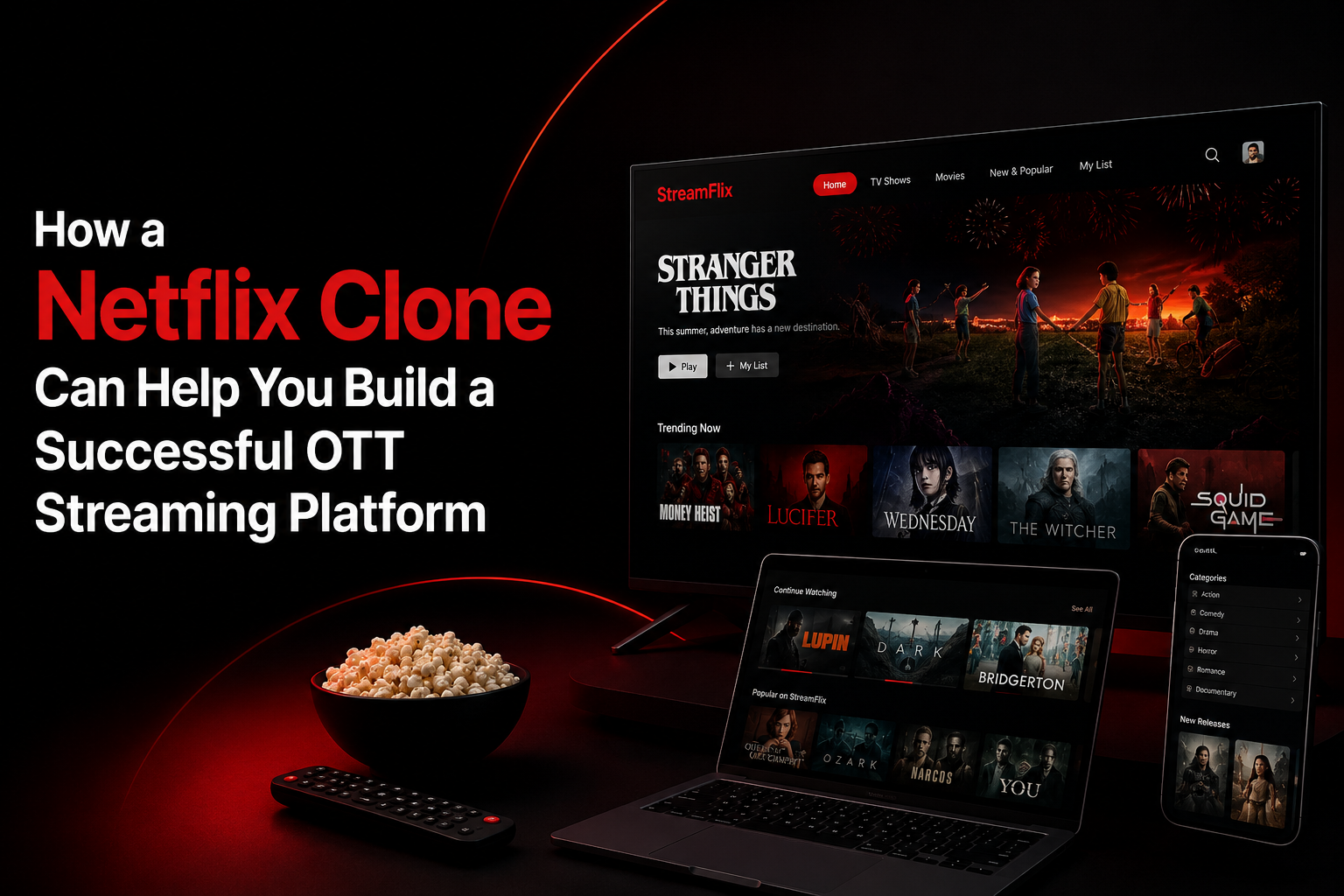
Introduction
The growth of on-demand video has created new opportunities for businesses that produce, license, teach, or distribute digital content.
Regional entertainment companies can build streaming services for local-language movies. Educational institutions can provide paid video libraries. Fitness brands can offer subscription workout programs, while creators can publish exclusive content directly to their communities.
However, launching an OTT platform requires more than uploading videos to a website.
The product must coordinate media processing, content discovery, subscription access, payment renewals, user profiles, playback history, device sessions, customer support, analytics, and administrative operations.
Netflix clone app development provides a structured foundation for bringing these systems together. The objective is not to copy Netflix’s branding, interface, content, or protected technology. It is to use familiar streaming mechanics while building an original platform for a specific market.
What Is a Netflix Clone App?
A Netflix clone app is a custom video-streaming platform inspired by the subscription-based OTT business model.
Viewers can register, choose a plan, create profiles, browse a content catalog, save titles, stream videos, resume unfinished content, and manage their subscriptions.
Content managers use a separate interface to organise:
- Movies
- Shows
- Seasons
- Episodes
- Trailers
- Posters
- Genres
- Languages
- Age ratings
- Regional availability
- Publishing schedules
Support teams can manage payment failures, device limits, refunds, login problems, and content-access issues. Administrators control users, plans, content, promotions, moderation, analytics, and platform settings.
App Clone Labs plans its Netflix Clone solution around OTT catalog management, secure playback, subscription billing, personalised discovery, analytics, role-specific workflows, and operational controls.
Who Can Launch a Netflix-Like Platform?
An independently branded streaming platform can serve many types of organisations.
Potential platform owners include:
- Film and television distributors
- Independent production companies
- Educational institutions
- Online course providers
- Fitness and wellness brands
- Religious organisations
- Sports associations
- Children’s media companies
- Documentary publishers
- News and entertainment companies
- Creator communities
- Corporate training providers
- Event-streaming businesses
A new platform does not need to compete directly with global entertainment services.
The stronger strategy is often to focus on a particular audience, language, region, or content category. A smaller but relevant catalog can create more value than a large collection of unrelated videos.
Why Focused OTT Platforms Have an Advantage
General streaming platforms require large content libraries, significant marketing investment, and complex licensing arrangements.
A niche platform can build its product around a clear user need.
Possible streaming niches include:
- Regional-language entertainment
- Independent cinema
- Children’s education
- Fitness programs
- Professional training
- Local sports
- Religious content
- Cooking and lifestyle shows
- University lectures
- Short films
- Documentaries
- Creator-exclusive videos
- Corporate learning
- Live cultural events
The niche also influences the platform’s feature priorities.
For example, an educational OTT platform may need lessons, structured courses, certificates, and learning progress. A fitness platform may prioritise workout categories, difficulty levels, trainers, and program calendars.
The streaming foundation may be similar, but the user journey should reflect the target audience.
Core User Roles in a Netflix Clone Platform
A complete streaming product normally requires several connected interfaces.
Viewer
Viewers register, subscribe, create profiles, browse content, watch videos, manage watchlists, download eligible titles, and control account settings.
Content Manager
Content managers upload media, add metadata, manage seasons and episodes, configure categories, update availability, and schedule releases.
Subscriber Support Agent
Support teams resolve billing, login, refund, device, playback, and regional-access problems.
Administrator
Administrators oversee users, subscriptions, content operations, payments, promotions, moderation, reports, and platform configuration.
The official Netflix Clone solution defines viewer, content-manager, subscriber-support, and administrator workflows with separate permissions and operational responsibilities.
How Does a Netflix Clone App Work?
A typical streaming journey follows these steps:
- A viewer creates an account.
- The viewer selects a subscription plan.
- Payment is processed through the integrated gateway.
- The viewer creates one or more profiles.
- The platform presents content categories and recommendations.
- The viewer selects a movie, show, course, or episode.
- The media is delivered through secure streaming infrastructure.
- Playback progress is saved.
- Viewing activity updates watch history and recommendations.
- Subscription access renews according to the billing cycle.
- Content managers publish new releases.
- Administrators monitor subscriptions, engagement, revenue, and performance.
This workflow connects authentication, subscriptions, video delivery, databases, notifications, analytics, customer support, and administrative controls.
Essential Viewer Features
Secure Registration and Login
Users should be able to create accounts using an email address, mobile number, or supported authentication provider.
Important account controls may include:
- Email or mobile verification
- Password recovery
- Two-factor authentication
- Device management
- Active-session controls
- Login history
- Suspicious-access alerts
- Sign out from all devices
These features are particularly important when accounts support multiple profiles and simultaneous streams.
Multiple Viewer Profiles
Several users may share one subscription while maintaining separate preferences.
Each profile can have its own:
- Name and avatar
- Watch history
- Recommendations
- Watchlist
- Language settings
- Subtitle preferences
- Maturity restrictions
- Playback settings
Separate profiles prevent one person’s viewing behaviour from influencing recommendations for every account user.
Personalised Home Screen
The home screen should help viewers discover relevant videos without searching manually.
Common content sections include:
- Continue watching
- Trending now
- Recently added
- Recommended for you
- Popular in your region
- New episodes
- Top-rated content
- Genre collections
- Language-based rows
- Editor’s selections
App Clone Labs includes trending content, continue-watching rows, recommendations, watchlists, editorial banners, and search within its discovery feature set.
Advanced Search
Search should recognise more than exact titles.
Viewers may search using:
- Movie or show name
- Actor
- Director
- Genre
- Language
- Release year
- Category
- Topic
- Keyword
Autocomplete and suggested results can make large content catalogs easier to navigate.
Search analytics can also help operators understand what viewers want but cannot currently find.
Watchlist and Continue Watching
A watchlist allows viewers to save titles for later.
The continue-watching feature records playback progress so users can pause on one device and resume on another.
Both features should remain synchronised across supported devices. Users should also be able to remove unwanted titles from their viewing history or saved list.
Streaming and Playback Features
Playback reliability directly affects viewer satisfaction and subscription retention.
A strong video player may include:
- Adaptive video quality
- Resume playback
- Full-screen viewing
- Subtitle selection
- Multiple audio tracks
- Playback-speed controls
- Episode autoplay
- Skip intro
- Skip recap
- Picture-in-picture mode
- Manual quality selection
- Download controls
- Playback-error recovery
The App Clone Labs solution includes secure playback, resume states, subtitles, multi-device sessions, downloads, and adjustable quality settings.
Adaptive Bitrate Streaming
Adaptive bitrate streaming changes the delivered video quality according to the viewer’s internet connection.
A fast connection may receive high-resolution video, while a slower connection receives a lower-resolution stream to reduce buffering.
This helps the platform serve users across different devices and network conditions.
Offline Downloads
Offline downloads allow viewers to save eligible content to supported mobile devices.
Download controls may include:
- Video-quality selection
- Wi-Fi-only downloads
- Storage management
- Device limits
- Expiration periods
- Subscription verification
- Automatic episode downloads
Download access can vary according to the plan, content rights, device, and geographic region.
OTT Content Management System
A streaming platform requires a structured publishing system rather than a basic video-upload page.
Content teams should be able to manage:
- Movies and shows
- Seasons and episodes
- Trailers and promotional clips
- Posters and thumbnails
- Titles and descriptions
- Cast and crew
- Genres and categories
- Languages
- Subtitles
- Audio tracks
- Age ratings
- Release dates
- Availability windows
- Regional restrictions
Content Publishing Workflow
A practical publishing workflow may include:
- Create a draft content record.
- Add metadata and artwork.
- Upload the original video.
- Process it into supported streaming formats.
- Add subtitles and alternative audio tracks.
- Configure age and regional restrictions.
- Preview the content page.
- Schedule or publish the release.
- Monitor viewing performance.
- Archive or remove the title when required.
Content records may use states such as draft, under review, approved, scheduled, published, expired, and archived.
App Clone Labs structures the catalog around movies, shows, seasons, episodes, trailers, genres, languages, age ratings, and availability windows.
Subscription and Billing Management
Subscription billing determines who can access the platform and under which conditions.
Possible plan types include:
- Monthly plans
- Annual plans
- Family plans
- Student plans
- Mobile-only plans
- Regional plans
- Premium device plans
- Free trials
- Promotional subscriptions
Each plan may define:
- Subscription price
- Billing frequency
- Maximum video quality
- Number of profiles
- Registered-device limit
- Simultaneous-stream limit
- Download access
- Advertising rules
- Included content
Recurring Payment Workflows
The billing system should manage:
- Initial payment
- Automatic renewal
- Failed-payment retries
- Grace periods
- Plan upgrades
- Plan downgrades
- Cancellations
- Refunds
- Coupons
- Invoices
- Taxes
The solution page includes free trials, monthly and yearly plans, coupons, renewals, failed-payment handling, invoices, and cancellations.
Netflix Clone Monetization Models
Subscription Video on Demand
Subscription Video on Demand, or SVOD, charges users a recurring monthly or yearly fee.
Plans can vary according to video quality, profile limits, device access, downloads, and simultaneous streams.
Advertising Video on Demand
Advertising Video on Demand, or AVOD, gives users free or lower-cost access while generating advertising revenue.
Advertisements may appear before playback, during videos, between episodes, or inside sponsored content rows.
Freemium Access
A freemium model provides limited free content while placing premium titles or features behind a paid plan.
Free users may receive advertisements, lower video quality, limited downloads, or delayed access to new releases.
Transactional Video on Demand
Transactional Video on Demand allows users to rent or purchase individual videos.
This model can support:
- Movie premieres
- Live concerts
- Sports events
- Conferences
- Premium courses
- Special documentaries
Business-to-Business Streaming
Private streaming libraries can be sold to schools, companies, communities, and professional organisations.
Business plans may include branded portals, restricted user groups, organisation-level billing, and viewing reports.
App Clone Labs identifies SVOD plans, AVOD or freemium access, and business-to-business white-label content libraries as major monetization paths.
Admin Panel Capabilities
The admin dashboard is the operational centre of the OTT platform.
Administrators may need to manage:
- Users and profiles
- Devices and sessions
- Content managers
- Support agents
- Roles and permissions
- Subscription plans
- Payments and invoices
- Refunds
- Coupons
- Content records
- Release schedules
- Promotional banners
- Moderation queues
- Analytics
- Platform settings
A strong admin panel should provide search, filters, approval queues, bulk actions, audit trails, exports, and role-based permissions.
The official solution treats user management, live operations, finance, promotions, moderation, audit history, and business intelligence as first-class administrative capabilities.
Suggested Technology Stack
A practical Netflix clone technology stack may include:
Viewer Applications
- React Native
- Flutter
- Native Android
- Native iOS
Web Platform
- React
- Next.js
Backend
- Node.js
- Modular APIs
- Role-based authentication
- Subscription services
- Notification services
Database and Performance
- PostgreSQL
- Redis
- Background-processing queues
Media Infrastructure
- Cloud object storage
- Content delivery network
- Video transcoding
- Thumbnail generation
- Secure streaming URLs
- Subtitle and audio storage
Supporting Integrations
- Payment gateways
- Push-notification services
- Email and SMS platforms
- Search services
- Analytics tools
- Customer-support systems
- Moderation tools
The App Clone Labs reference architecture includes React Native or Flutter applications, a Next.js web app, Node.js APIs, PostgreSQL, object storage and CDN delivery, real-time capabilities, moderation, and analytics.
Security and Content Protection
OTT platforms handle payment details, viewing behaviour, account credentials, and licensed media.
Important protection measures include:
- Encrypted data transfer
- Secure password storage
- Role-based permissions
- Signed streaming URLs
- Device-session controls
- Secure payment processing
- Administrative audit logs
- Protected cloud storage
- Backup and recovery procedures
- Suspicious-login monitoring
- Regional content restrictions
More advanced platforms may also require digital rights management, watermarking, stream concurrency controls, and forensic tracking.
What Influences Netflix Clone Development Cost?
The cost of Netflix clone app development depends on the complete operating scope.
Major cost factors include:
- Number of applications
- Supported devices
- Content-management complexity
- Subscription rules
- Payment integrations
- Streaming resolution
- Video-processing requirements
- Offline downloads
- Subtitle and audio support
- Recommendation features
- Regional restrictions
- Multi-language functionality
- Admin-panel depth
- Analytics requirements
- Cloud deployment
- Quality assurance
- Post-launch support
Businesses should also consider recurring expenses such as video storage, transcoding, CDN bandwidth, monitoring, payment processing, and technical maintenance.
The official cost framework evaluates interfaces, workflow complexity, integrations, QA, cloud setup, launch readiness, and operational handover.
Recommended MVP Scope
The first release should prove one complete subscription-and-viewing workflow.
A practical MVP may include:
- User registration
- Secure login
- One or two subscription plans
- Payment checkout
- Viewer profiles
- Content home screen
- Search
- Watchlist
- Continue watching
- Movie or episode pages
- Secure playback
- Basic subtitles
- Recurring subscription access
- Content-management tools
- User management
- Basic analytics
- Support controls
- Admin dashboard
Advanced personalisation, multi-region billing, complex loyalty programs, deep automation, enterprise reporting, and unusual integrations can wait until the core commercial loop has been validated.
App Clone Labs similarly recommends launching the smallest complete operating loop first and adding advanced automation, deep AI, complex loyalty, and enterprise features later.
Important OTT Business Metrics
Streaming businesses should monitor both commercial performance and playback quality.
Useful business metrics include:
- Trial-to-paid conversion
- Active subscribers
- Monthly recurring revenue
- Subscriber cancellation rate
- Viewer retention
- Average viewing time
- Content completion rate
- Most-watched titles
- Search activity
- Payment-failure rate
- Plan-upgrade rate
Important technical metrics include:
- Video start time
- Buffering frequency
- Playback failure rate
- Application crashes
- CDN performance
- API response time
- Download failures
- Device compatibility
These metrics help operators understand what viewers value and which technical problems may be affecting retention.
Final Thoughts
Netflix clone app development gives OTT startups, creators, educators, and media businesses a structured foundation for launching an independently branded streaming platform.
However, success depends on more than an attractive catalog interface. The platform must deliver reliable playback, relevant content, secure billing, convenient discovery, responsive support, and strong administrative visibility.
The most practical strategy is to begin with a clearly defined audience, a manageable content library, and one primary revenue model. Once the platform attracts paying and returning viewers, the business can expand into advertising, live streaming, advanced recommendations, additional devices, and enterprise services.
App Clone Labs Netflix Clone solution supports OTT content management, viewer profiles, secure playback, subscriptions, personalised discovery, analytics, admin operations, and client-owned source code.

 English
 Arabic
 French
 Spanish
 Portuguese
 Deutsch
 Turkish
 Dutch
Dutch
 Italiano
 Russian
 Romaian
 Greek
Greek