
QR Codes for Education: Sharing Resources, Assignments, and Materials
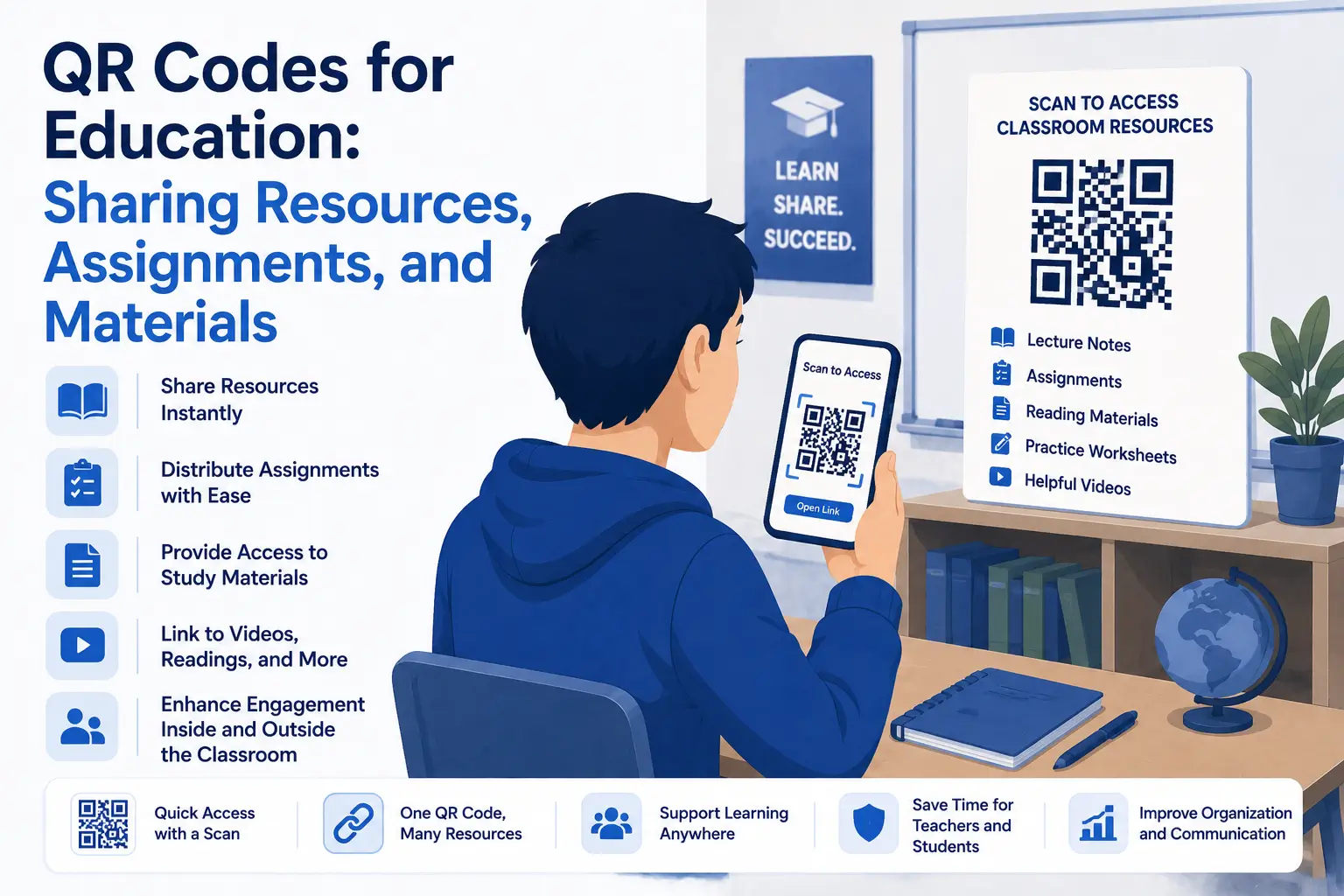
Technology does not need to be complicated to make learning more accessible. Sometimes, a small tool can remove several unnecessary steps from the classroom experience.
QR codes are a good example.
Teachers, schools, tutors, and training providers can use QR codes to connect printed materials with digital resources. A student can scan a code on a worksheet, poster, handout, or classroom display and immediately open the related content on a phone or tablet.
There is no need to type a long web address, search through a learning platform, or copy a link manually.
This makes QR codes in education useful for sharing assignments, videos, documents, study materials, classroom instructions, and other digital resources.
What Are QR Codes in Education?
QR codes in education are scannable codes that direct students, parents, or educators to digital content.
Depending on how the QR code is configured, it may open:
-
A website
-
A PDF document
-
A video
-
An online assignment
-
A digital quiz
-
A presentation
-
A shared folder
-
A classroom announcement
-
A feedback form
-
A learning management system page
The code can be printed on almost any physical material. Students scan it using the camera on a compatible smartphone or tablet and are taken directly to the linked resource.
The main benefit is convenience. QR codes create a simple connection between physical learning materials and online information.
Why QR Codes Are Useful in Education
Digital resources are now a normal part of learning, but accessing them is not always straightforward.
A teacher may write a long URL on the board. Students may need to search for a specific document in a shared drive. Parents may need to navigate several pages before finding the correct class information.
QR codes reduce that friction.
Instead of giving students several instructions, educators can provide one clear action: scan the code.
This can make resources easier to access while also helping teachers organize how information is distributed.
QR codes are especially useful because they can be added to materials that educators already use, including worksheets, books, classroom posters, activity stations, presentation slides, and printed notices.
Share Learning Resources More Easily
One of the most practical uses of QR codes in education is sharing supplementary learning materials.
A textbook or printed handout has limited space. A QR code allows the educator to extend that material without making the page crowded.
For example, a science worksheet might include a QR code linking to an experiment demonstration. A history handout could link to an interactive map. A language lesson could include a code that opens an audio pronunciation exercise.
Teachers can also use QR codes to share:
-
Reading lists
-
Revision guides
-
Reference documents
-
Recorded lessons
-
Educational websites
-
Interactive activities
-
Downloadable templates
-
Additional examples
This allows students to explore a subject in more depth while keeping the printed material simple and focused.
Provide Quick Access to Assignments
QR codes can make assignments easier to distribute.
A teacher can place a code on a classroom board, worksheet, course outline, or presentation. When students scan it, they can be taken directly to the assignment page or submission form.
The destination might include:
-
Assignment instructions
-
Required reading
-
A downloadable worksheet
-
A shared document
-
A project brief
-
A submission portal
-
A deadline reminder
This is particularly helpful when the assignment link is long or difficult to type.
It can also reduce confusion because students are directed to the exact resource instead of being asked to locate it themselves.
Connect Printed Worksheets to Digital Content
Printed worksheets remain useful, even in classrooms that use digital tools.
QR codes allow educators to combine the strengths of printed and online learning.
For example, a mathematics worksheet could include a QR code linking to a worked example. Students who need additional support can scan the code without interrupting the rest of the class.
A reading comprehension worksheet could link to an audio version of the text. A geography activity could connect to a virtual tour or interactive map.
This blended approach gives students another way to understand the material while allowing them to work at their own pace.
Create Self-Guided Learning Stations
QR codes work particularly well for classroom stations, scavenger hunts, and self-guided activities.
A teacher can place different QR codes around the room. Each code can open a question, video, clue, instruction, or activity.
Students move between stations and scan the codes to continue the lesson.
This format can be used for:
-
Revision exercises
-
Group projects
-
Vocabulary activities
-
Museum-style classroom displays
-
Science investigations
-
Orientation activities
-
Interactive storytelling
-
Problem-solving challenges
Because the instructions are attached to each station, students can progress more independently.
This can also make lessons feel more active and engaging without requiring complicated technology.
Link to Videos and Audio Materials
Some topics are easier to understand when students can see or hear an example.
QR codes can connect printed materials to video and audio content without requiring educators to place long links on the page.
A music teacher might link to a recording. A language teacher could provide pronunciation exercises. A physical education instructor might share a movement demonstration.
Video and audio QR codes may be useful for:
-
Tutorials
-
Lectures
-
Interviews
-
Pronunciation practice
-
Music examples
-
Demonstrations
-
Recorded instructions
-
Accessibility support
Students can scan the code when they need the resource and revisit it later for revision.
Distribute PDFs, Presentations, and Study Materials
Teachers often share documents such as study guides, presentations, lesson notes, and reading materials.
QR codes provide a convenient way to distribute these files.
An educator can upload the material to an accessible online location and create a QR code that points to it. The code can then be added to a syllabus, classroom display, email attachment, or printed handout.
A tool such as QRColor can be used to create a QR code that connects students with an online educational resource.
Before distributing the code, the educator should confirm that the file permissions allow students to open the material without requesting access.
Use QR Codes for Quizzes and Assessments
QR codes can also support short quizzes, surveys, and informal assessments.
A code can link to an online form containing multiple-choice questions, reflection prompts, or lesson feedback.
Teachers might use this approach for:
-
Entry questions
-
Exit tickets
-
Knowledge checks
-
Homework quizzes
-
Student surveys
-
Lesson reflections
-
Peer feedback
-
Course evaluations
Because the form opens directly from the code, students can begin the activity quickly.
The results may also be easier for the teacher to collect and review compared with paper responses.
Improve Communication With Parents
QR codes are not limited to student activities. They can also improve communication between schools and families.
A QR code on a printed notice could link to:
-
A school calendar
-
An event registration page
-
A permission form
-
A parent information page
-
A newsletter
-
A contact form
-
A translated version of an announcement
-
A list of classroom resources
This can be especially helpful when a printed letter does not have enough space for all the necessary details.
Parents can scan the code and access the full information without manually entering a website address.
Support Libraries and School Displays
Libraries and educational displays can use QR codes to provide additional information without overcrowding shelves, posters, or exhibition areas.
A QR code placed beside a book might link to an author interview, related reading list, or student review.
A school display could include codes linking to project explanations, videos, research sources, or digital portfolios.
Possible applications include:
-
Book recommendations
-
Author biographies
-
Student presentations
-
Research projects
-
Reading challenges
-
Exhibition guides
-
Digital portfolios
-
School history resources
This gives students and visitors the option to explore the display beyond what is visible on the page.
Help Students Submit Work
In some situations, a QR code can direct students to a submission folder, online form, or learning platform.
This can be useful for classroom projects, homework, creative work, and event-based activities.
However, educators should make sure that the destination is clearly organized and that students understand what information they are expected to provide.
Submission pages should also be tested on mobile devices. A QR code may scan correctly, but the overall experience will still be frustrating if the submission form is difficult to use on a smaller screen.
Make Classroom Instructions Easier to Follow
Repeated classroom instructions can also be placed behind QR codes.
For example, a code beside a piece of equipment could open a safety guide. A code at an art station could display the steps for using specific materials. A computer lab code might link to login instructions or troubleshooting information.
These codes can support independent learning by giving students access to instructions when they need them.
They may also reduce the amount of printed text required around the classroom.
Best Practices for Using QR Codes in Education
QR codes are easy to create, but they still need to be used carefully.
Explain what the code opens
Students should not have to guess what will happen after scanning.
Add a short instruction such as:
-
Scan to open the assignment
-
Scan to watch the demonstration
-
Scan to download the study guide
-
Scan to complete the quiz
A clear call to action makes the code more useful and trustworthy.
Test every QR code
Scan the code before printing or distributing it.
Check that:
-
The correct resource opens
-
The page works on mobile devices
-
The file permissions are correct
-
The content does not require an unexpected login
-
The destination loads quickly
Testing is especially important when the code will be printed in large quantities.
Use strong contrast
A QR code must be easy for a camera to detect.
Dark code elements on a light background are usually the safest choice. Avoid combinations in which the code and background are too similar.
Custom colors can work, but readability should always be more important than decoration.
Print the code at a practical size
A QR code that is too small may be difficult to scan.
The correct size depends on where the code will appear and how far away students will be when scanning it.
A code on a worksheet can be relatively compact. A code on a classroom wall or presentation screen will need to be larger.
Keep the surrounding area clear
Do not place text, borders, or graphics too close to the QR code.
The blank space around the code helps scanning devices recognize it correctly.
Provide an alternative access method
Not every student will have access to a compatible device.
Whenever possible, provide another way to reach the same content, such as a short link, classroom computer, printed copy, or learning platform navigation path.
QR codes should improve access, not become the only way to participate.
Privacy and Safety Considerations
Schools and educators should think carefully about privacy when using QR codes.
Avoid linking publicly displayed codes to confidential student information, private folders, or documents that reveal personal data.
Educators should also review the privacy settings of any third-party platform used for assignments, forms, videos, or file sharing.
When a QR code is placed in a public area, anyone may be able to scan it. The linked content should therefore be appropriate for public access unless additional authentication is required.
It is also important to teach students that they should understand the source of a QR code before scanning it.
Static or Dynamic QR Codes for Education?
A static QR code points permanently to the destination entered when it is created.
This may be suitable for resources that are unlikely to change, such as a permanent school webpage or long-term reference document.
A dynamic QR code usually redirects through an editable link. This may allow the destination to be changed without replacing the printed code.
Dynamic codes can be useful for classroom displays, noticeboards, reusable worksheets, or course materials that need regular updates.
The right option depends on how long the resource will be used and whether the destination may change.
Common Mistakes to Avoid
Some QR code problems are caused by the linked content rather than the code itself.
Common mistakes include:
-
Linking to a private document students cannot access
-
Using a page that does not work well on mobile devices
-
Printing the code too small
-
Placing the code on a reflective or curved surface
-
Using weak color contrast
-
Failing to explain what the code contains
-
Removing the destination file after printing the code
-
Requiring students to create unnecessary accounts
-
Making QR codes the only access option
A quick test with more than one device can prevent many of these problems.
Are QR Codes Appropriate for Every Lesson?
QR codes are useful, but they should serve a clear purpose.
Adding a QR code does not automatically make a lesson more interactive or effective. The linked resource should genuinely support the activity.
A QR code makes sense when it:
-
Saves students time
-
Simplifies access
-
Adds useful digital content
-
Supports independent learning
-
Connects physical and online materials
-
Makes instructions easier to follow
It may be unnecessary when the same information can be communicated more clearly in a few printed words.
The best educational technology is usually the technology that becomes almost invisible because it helps students complete the task without creating additional confusion.
Final Thoughts
QR codes in education offer a simple way to connect students with digital resources.
They can be used to distribute assignments, share documents, open videos, support classroom stations, collect feedback, communicate with parents, and expand printed learning materials.
Their value comes from reducing unnecessary steps. Instead of typing a complicated address or searching through several folders, students can scan a code and go directly to the relevant content.
When QR codes are tested carefully, clearly labeled, and supported by alternative access options, they can become a practical part of everyday teaching and learning.

 English
 Arabic
 French
 Spanish
 Portuguese
 Deutsch
 Turkish
 Dutch
Dutch
 Italiano
 Russian
 Romaian
 Greek
Greek